Week One - Introduction to User Experience Design (UXD)
Welcome Students
Section titled “Welcome Students”Welcome to the User Experience Design (UXD) course! Over the course of this program, you’ll dive into the world of UXD and learn how to design mobile applications that users not only like but also love.
Our class meets twice a week, with each session lasting two hours. For details on class schedules and location, please refer to the Overview page.
To make the most of this course, it’s crucial to prepare for each week’s lessons by thoroughly reviewing the module before each class. Active participation and success in the course depend on your commitment to this preparation. Additionally, in-class exercises will contribute to your final grade, so be sure to attend.
Learning Objectives
Section titled “Learning Objectives”By the end of this week, you will:
- Understand the MAD9034 course: User Experience Design (UXD).
- Gain a high-level understanding of the UXD process.
Slides
Section titled “Slides”Access this week’s slides here:
UX vs. UI
Section titled “UX vs. UI”While often used interchangeably, User Interface (UI) and User Experience (UX) refer to distinct aspects of product or service design.
User Interface (UI): UI focuses on the visual and interactive elements users engage with directly, such as layouts, buttons, and forms. A well-designed UI aims to be intuitive and user-friendly, enhancing navigation and interaction.
User Experience (UX): UX takes a holistic approach, considering the entire user journey. It encompasses emotional, psychological, and practical aspects of the experience. UX design aims to create a meaningful interaction aligned with user needs and expectations.
In summary, UI deals with interface components, while UX addresses the broader user experience. Watch Don Norman’s take on UX for further insights.
Don Norman: The term UX
What is UXD?
Section titled “What is UXD?”User Experience Design (UXD) enhances user satisfaction by improving usability, accessibility, and overall pleasure in user-product interactions. It extends traditional human-computer interaction (HCI) design to address all aspects of user perception.
For a quick overview, watch What the #$%@ is UX Design?
What the #$%@ is UX Design?
Example
Section titled “Example”Imagine working for a software company focused on the end-to-end customer/user experience. This encompasses all interactions users have with the company, its services, and products:
- Searching for a product to meet a need.
- Browsing online, speaking to salespeople, or installing a trial.
- The purchasing process.
- Onboarding.
- Product usage.
A positive user experience at each touchpoint fosters trust, loyalty, and advocacy.
Types of User Experiences
Section titled “Types of User Experiences”User experiences can vary:
- Memorable: Leaves a lasting impression.
- Intuitive: Aligns with user expectations.
- Negative (intentional): Motivates users.
- Negative (unintentional): Generates unexpected feelings.
UX Design Process
Section titled “UX Design Process”Learn more about the UX design process in Design Thinking 101. This process follows:
- Understand
- Explore
- Materialize
Within these phases are 6 key steps: empathize, define, ideate, prototype, test, and implement.
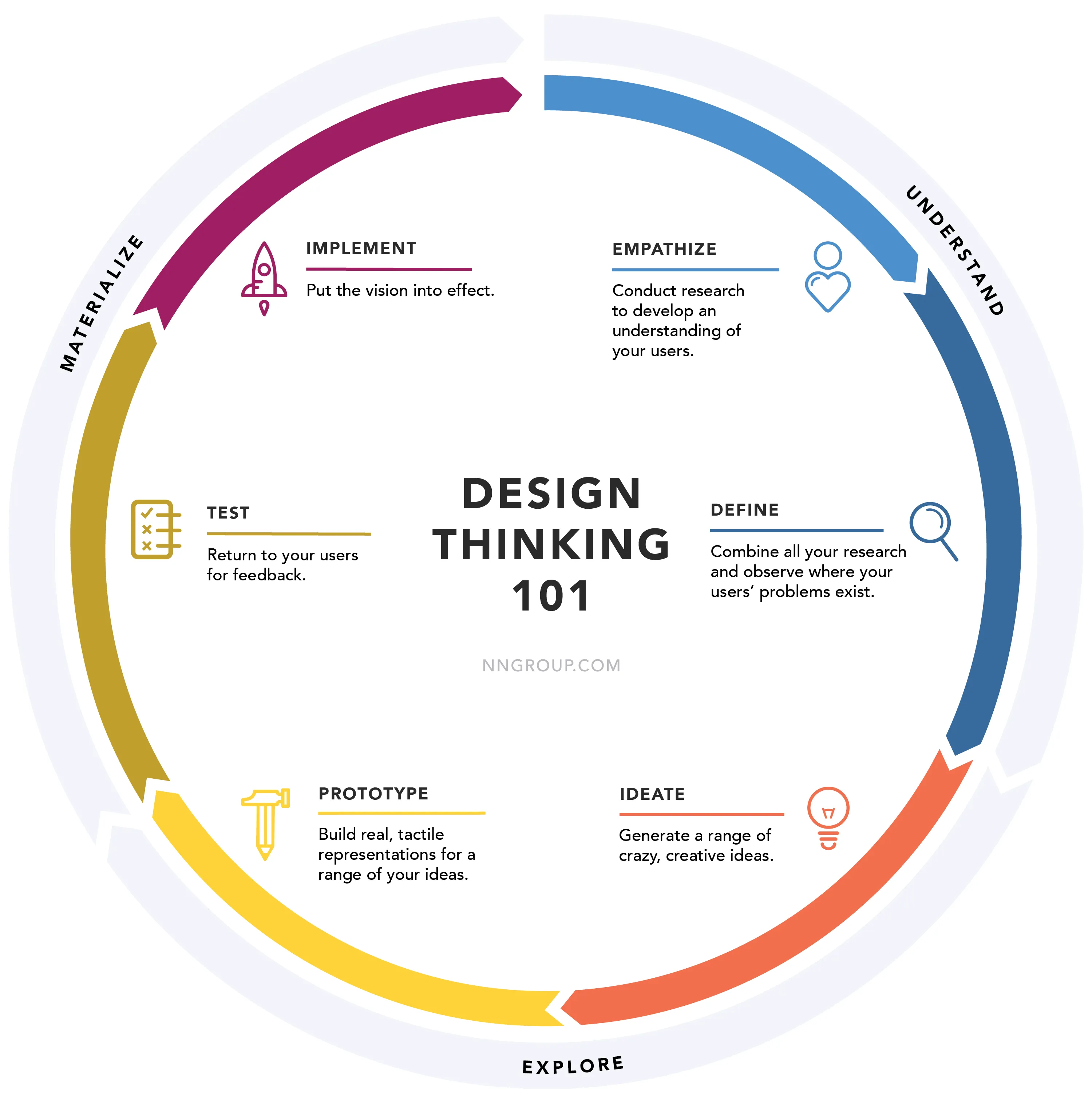
Empathize
Understand users by studying their actions, words, thoughts, and feelings. Observe them in real situations to gain insights.
Define
Collect research findings and identify user problems, spotting opportunities for new ideas.
Ideate
Brainstorm creative ideas to address unmet user needs.
Prototype
Create tangible representations of ideas to understand what works and what doesn’t.
Test
Put prototypes in front of users to verify if goals are achieved.
Implement + Measure
Put the UX vision into effect, ensuring it enhances users’ lives.
Tools and Deliverables (covered in this course)
Section titled “Tools and Deliverables (covered in this course)”- Personas
- Scenarios
- Information Architecture
- Wireframes
- Visual design
- Prototype
- Usability testing
UX Design Competencies
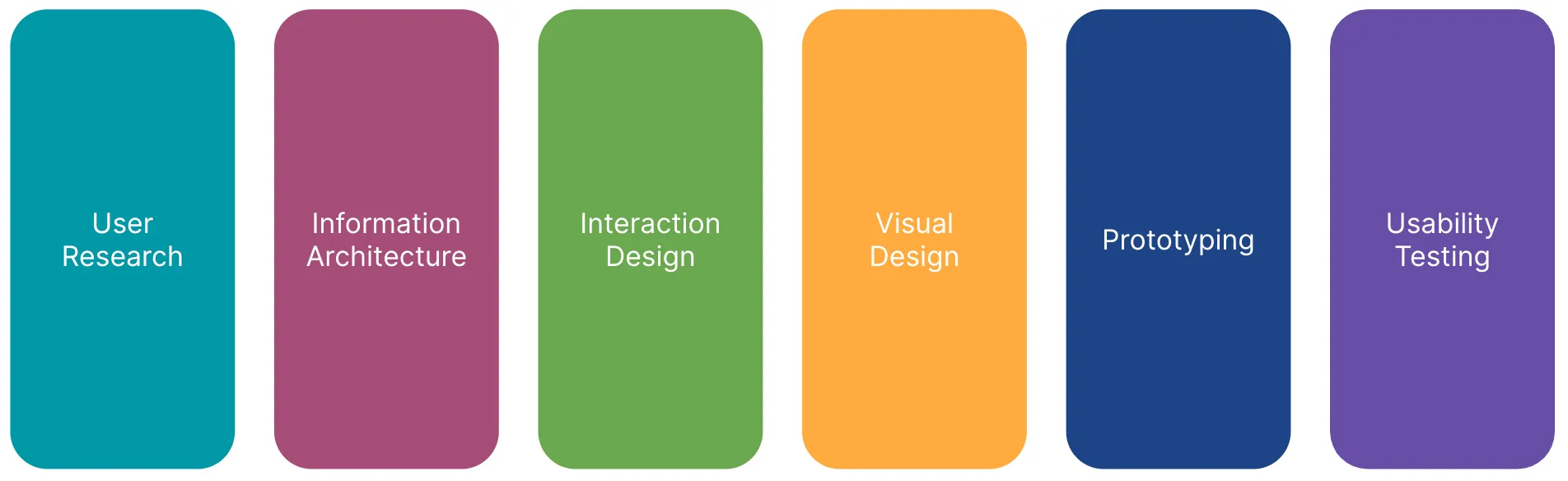
Section titled “UX Design Competencies”Explore the Five Competencies of User Experience Design.
Remember: Before building a mobile app, verify the viability of your idea and its alignment with user needs. A User-Centered Design approach will help create the best product experience and fulfill your business objectives effectively.